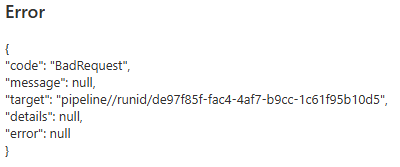
A while ago I blogged about a use case where a pipeline fails during debugging with a BadRequest error, even though it validates successfully. If you’re wondering, this is the helpful error message that you get:
In that blog post, the issue was that there were some lingering user properties that were configured incorrectly and removing them (or fixing them) resolved the issue. Yesterday, I had the same error again in another pipeline, but I couldn’t find anything wrong with the pipeline and its activities (and yet again, validation didn’t return any errors). So I started removing activities one by one and starting the pipeline over and over to find the culprit.
Turns out, the offending activity was an Execute Pipeline activity. In that child pipeline, there was an issue with an expression (not a syntax error, but rather referencing an output of an activity that couldn’t be referenced). Fixing that expression resolved the BadRequest error in the parent pipeline. Conclusion: when you have a BadRequest situation on your hand, check the pipeline for broken expressions/references, but also any child pipelines.
I'm starting a webinar series about SQL Server indexing with the fine folks of MSSQLTips.com.…
Quite the title, so let me set the stage first. You have an Azure Data…
At Saturday the 21st of February I'm presenting an introduction to dimensional modelling at dataMinds…
I'm not trying to start up a debate whether you should use tabs or spaces…
The Power BI Enhanced Report Format (PBIR) will soon become the default, and that's a…
Quite a long title for a short blog post :)While deploying a DACPAC (from a…