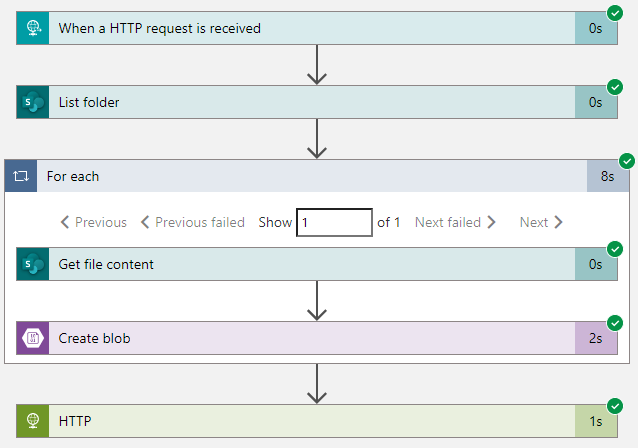
I have a Logic App that reads out a SharePoint library and stores all the documents found into Azure Blob Storage (ADF only supports Lists). I was trying to make this Logic App “generic”, meaning I could change the source folder and the destination container by using variables. That way, I have one single Logic App which can read out any SharePoint library, instead of creating a new Logic App for each library.
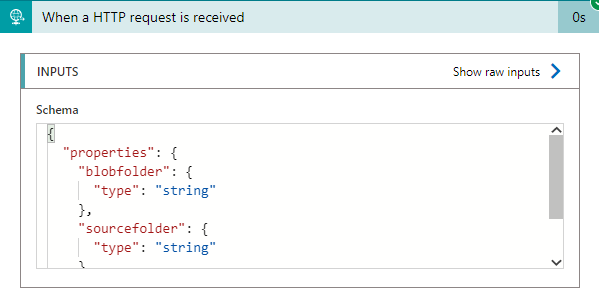
So I adapted my HTTP trigger to accept a JSON payload, which contains the name of the folder on SharePoint and the name of the blob container.
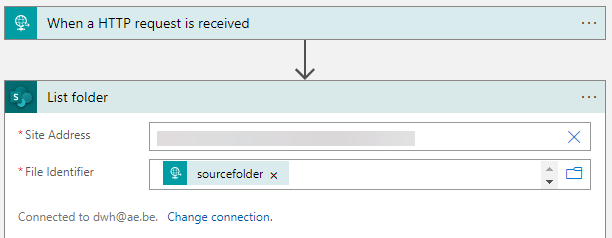
Inside my SharePoint activity “List Folder”, I use the variable “sourcefolder” from my HTTP request body.
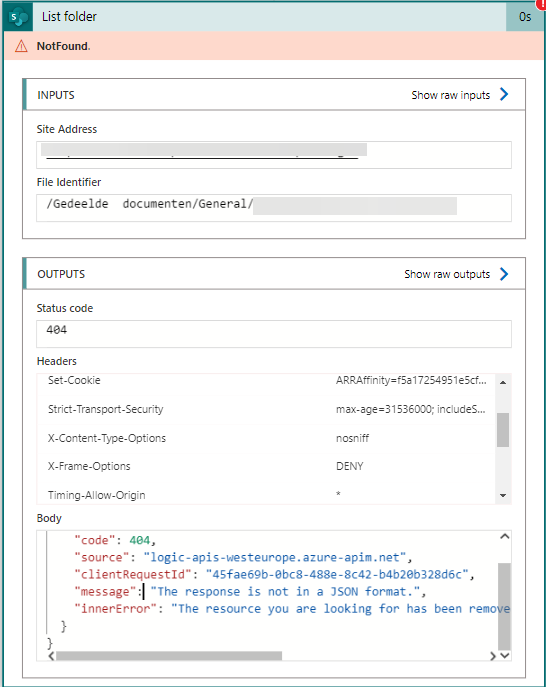
However, when I run the Logic App, I get the error “The resource you are looking for has been removed, had its name changed, or is temporarily unavailable”.
The activity itself will error out with “NotFound”, but when you check the output you’ll see the actual error message. There’s also a very helpful “The response is not in a JSON format”. I’m pretty sure the SharePoint folder does exist and there are documents in it, so the problem is actually something else. After some trial and error, I went to the code view and found the following JSON for the activity:
"List_folder": {
	"inputs": {
		"host": {
			"connection": {
				"name": "@parameters('$connections')['sharepointonline']['connectionId']"
			}
		},
		"method": "get",
		"path": "/datasets/@{encodeURIComponent(encodeURIComponent('https://mysharepoint.sharepoint.com/sites/mysite'))}/folders/@{encodeURIComponent(triggerBody()?['sourcefolder'])}"
	},
I noticed the website had twice the function encodeURIComponent, but the folder only once. So I added another encodeURIComponent around the first one:
.../folders/@{encodeURIComponent(encodeURIComponent(triggerBody()?['sourcefolder']))}"
And lo and behold, the Logic App ran without issues.
The annoying part is that you don’t actually see that the code was modified, the designer will still show the variable exactly as in the second screenshot.
The slides for my session "The €100 data warehouse on the Azure data platform" can…
A good week ago I hosted the monthly T-SQL Tuesday blog party. I invited the…
It's the second tuesday of the month, which means T-SQL Tuesday time! This month's topic…
It's time for T-SQL Tuesday again! And we're almost to number 200! T-SQL Tuesday is…
A while ago we suddenly had an error while trying to deploy one Fabric workspace…
I've uploaded the slides for my Techorama session Microsoft Fabric for Dummies and my DataGrillen…