I’m not trying to start up a debate whether you should use tabs or spaces when indenting code. Personally, I prefer spaces because when I copy the code to another editor the outlining of the code remains the same while with tabs it’s not always the case (looking at you, Word and Outlook). But I don’t want to hit the spacebar 4 times whenever I want to indent something, so I use the setting “insert spaces instead of tabs”:
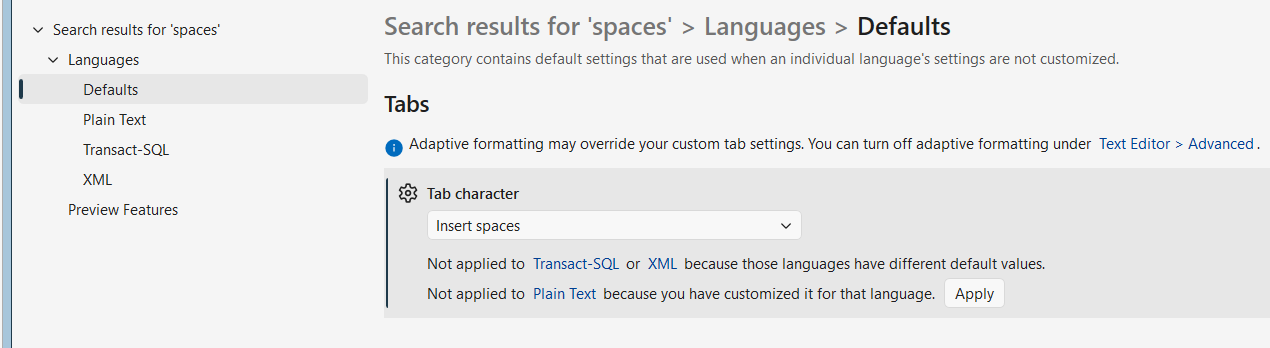
Best of both worlds 🙂 However, recently I was writing some T-SQL code and I noticed that tabs were being inserted instead of spaces. I had just installed SSMS 22 so I thought I forgot to change the settings. But this wasn’t the case, the setting was configured correctly. Maybe the issue is with Redgate SQL Toolbelt, which is installed as an extension into SSMS 22. But also there the setting was applied correctly:
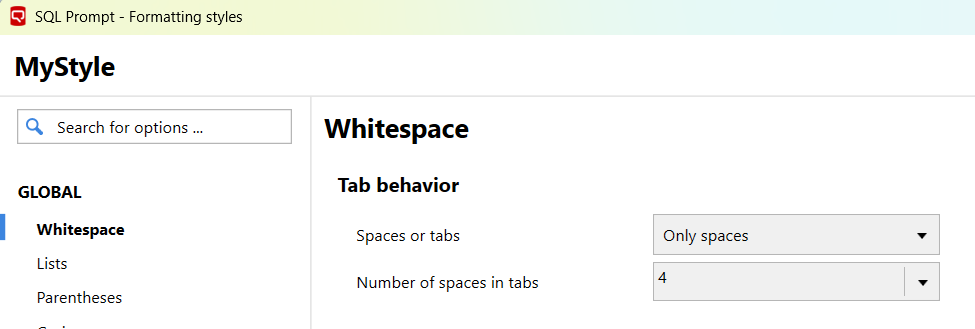
However, when hitting the tab key spaces were not being inserted.
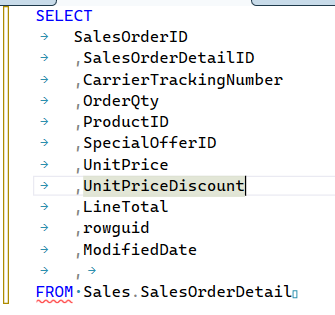
Then I noticed something small in the bottom right corner of the query window:

When clicking on “TABS”, you get the option to switch between tabs and spaces:
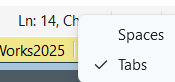
When switching to spaces, all tabs are automatically converted to spaces (or the other way around).
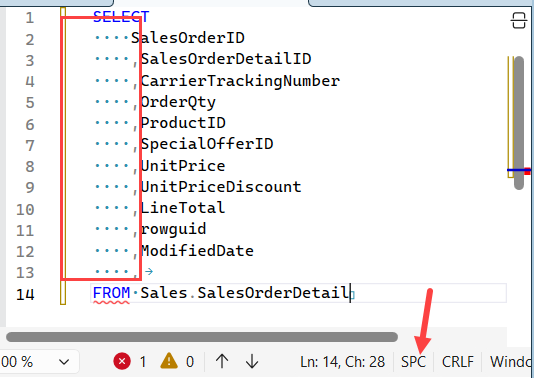
Likewise, you can set the encoding and the line endings. It seems that these “query window settings” overrule any settings from the options menu or from any extension. I wasn’t aware that these settings existed in the query window, and maybe by hitting some key combination I accidentally switched from spaces to tabs. I checked SSMS 21 and these options are there as well.
Conclusion: if you want to insert spaces instead of tabs and SSMS is refusing to play along even if all settings are correct, check the bottom right corner of your query window to see if spaces are selected.
------------------------------------------------
Do you like this blog post? You can thank me by buying me a beer 🙂
