Just a quick blog post about an error I recently encountered when trying to create a mobile report for SSRS 2016, using the Mobile Report Publisher. I created the following query on top of the Wide World Importers data warehouse:
SELECT
	 c.[City]
	,c.[State Province]
	,c.[Country]
	,c.[Sales Territory]
	,c.[Region]
	,c.[Subregion]
	,c.[Location]
	,[Latitude]		= c.[Location].Lat
	,[Longitude]	= c.[Location].Long
	,u.[Customer]
	,u.[Category]
	,u.[Buying Group]
	,[Order Date]	= [Order Date Key]
	,[Picked Date]	= [Picked Date Key]
	,e.[Employee]
	,[WWI Order ID]
	,[Package]
	,[Quantity]
	,[Unit Price]
	,[Tax Rate]
	,[Total Excluding Tax]
	,[Tax Amount]
	,[Total Including Tax]
 FROM [Fact].[Order]			f
 JOIN [Dimension].[City]		c ON f.[City Key]			= c.[City Key]
 JOIN [Dimension].[Customer]	u ON f.[Customer Key]		= u.[Customer Key]
 JOIN [Dimension].[Employee]	e ON f.[Salesperson Key]	= e.[Employee Key]
 WHERE	[Order Date Key] >= '2016-01-01'
	AND	[Order Date Key] <= '2016-12-31';
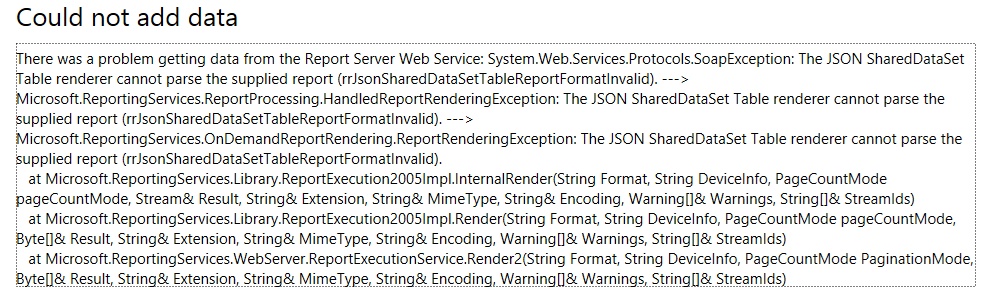
I created a shared dataset and stored it on the report server. Then I tried to create a new mobile report using this dataset. I was quickly greeted with the following error:
The error message “The JSON SharedDataSet Table renderer cannot parse the supplied report” doesn’t exactly tell you what’s going on. Apparently it is having issues with the Location column, which is of the geography data type. If you remove it, the dataset will be imported in the mobile report editor. There’s no documentation of which data types are supported or not in the mobile reports. I included the column in the first place to find out if the Mobile Report Publisher could handle it and plot the data on a map. It seems not.
You can find the slides and SQL scripts for my session "Spice up your SQL…
The slides for my session "The €100 data warehouse on the Azure data platform" can…
A good week ago I hosted the monthly T-SQL Tuesday blog party. I invited the…
It's the second tuesday of the month, which means T-SQL Tuesday time! This month's topic…
It's time for T-SQL Tuesday again! And we're almost to number 200! T-SQL Tuesday is…
A while ago we suddenly had an error while trying to deploy one Fabric workspace…