One of the smaller announcements amidst the gazillion new features of SQL Server 2016, is that SSMS is now a separate installation. You heard that right (read, probably), no more dragging along those bulky .ISO files with the entire SQL Server set-up just to install some client tools. Just like SSDT, you can now just download Management Studio from the interwebs.
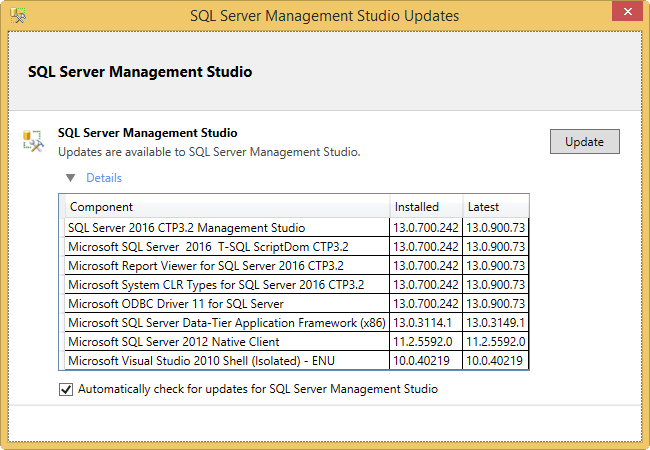
What’s even better is that you can now also get automatic updates! I opened SSMS and suddenly I got a lovely notification in my system tray that there are updates for SSMS. Isn’t that great? Clicking on it gave me the following dialog:
Nice. Don’t get too cocky though, clicking the Update button just takes you to an MSDN download page where you can download the latest version. Baby steps.
You can find the slides and SQL scripts for my session "Spice up your SQL…
The slides for my session "The €100 data warehouse on the Azure data platform" can…
A good week ago I hosted the monthly T-SQL Tuesday blog party. I invited the…
It's the second tuesday of the month, which means T-SQL Tuesday time! This month's topic…
It's time for T-SQL Tuesday again! And we're almost to number 200! T-SQL Tuesday is…
A while ago we suddenly had an error while trying to deploy one Fabric workspace…
View Comments
Cool! Good to know!