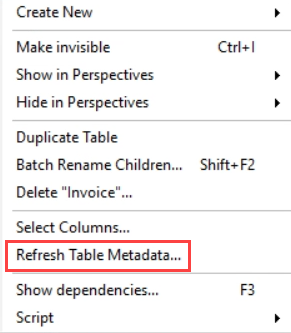
When you have a very large fact table in Analysis Services Tabular, you most likely have it partitioned. Suppose you are making some changes to the underlying source of the table and you hit “refresh table metadata” to add some new columns for example.
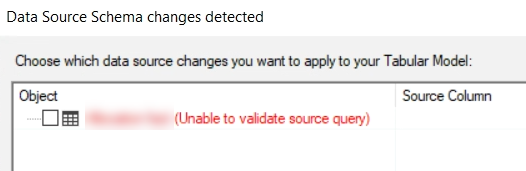
What happens behind the scenes is that Tabular Editor will run the query from the first partition against the source. If this is SQL Server, it will surround the query with SET FMTONLY ON to return only metadata. However, if for whatever reason this query takes a long time, you might encounter a timeout. This throws the error “Unable to validate source query”.
Not good. A quick fix is to go to your first partition, edit the query and just add WHERE 1 = 0 to the end of the query. (Note that I’m using the legacy sources, meaning I’m not using Power Query to extract data. But you should be able to add such a filter there as well.)
Now the table metadata should refresh instantaneously. I’ve logged a bug for Tabular Editor here. Just don’t forget to remove your filter from the partition when you’re done 😉
You can find the slides and SQL scripts for my session "Spice up your SQL…
The slides for my session "The €100 data warehouse on the Azure data platform" can…
A good week ago I hosted the monthly T-SQL Tuesday blog party. I invited the…
It's the second tuesday of the month, which means T-SQL Tuesday time! This month's topic…
It's time for T-SQL Tuesday again! And we're almost to number 200! T-SQL Tuesday is…
A while ago we suddenly had an error while trying to deploy one Fabric workspace…