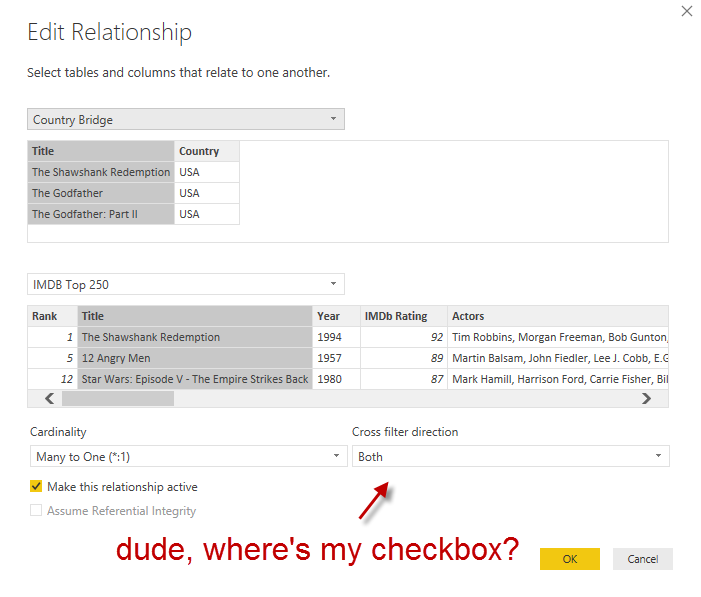
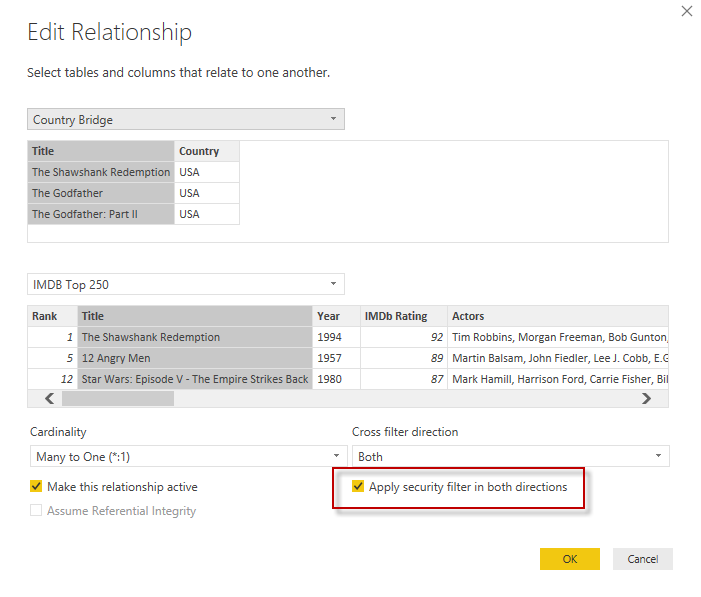
When I tested the role, the dimension and the bridge table were filtered just fine, but the fact table wasn’t. I remembered I had to select a checkbox on the relationship: “Apply security filter in both directions”, because the bi-di won’t be honored in RLS scenarios. Kasper de Jonge explains it in his blog post Dynamic security made easy with SSAS 2016 and Power BI (a must-read).
Except that the checkbox wasn’t there.
Ehrm.
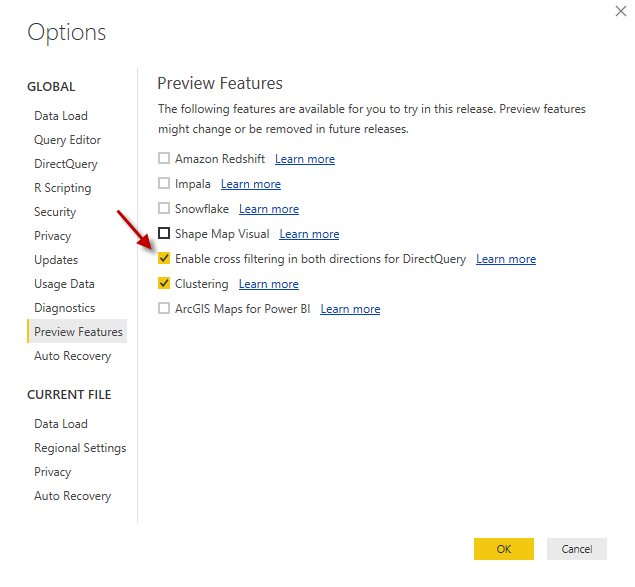
So after a bit of digging, I found out that the following preview property must be enabled: Enable cross filtering in both directions for DirectQuery.
Quite confusing, since I’m not using DirectQuery at all. Anyway, once you enabled this feature – you don’t even need to restart Power BI Desktop – the checkbox is alive and kicking.
And all was well. Also, Kasper said he’ll fix it. Sweet. 🙂
The slides for my session "The €100 data warehouse on the Azure data platform" can…
A good week ago I hosted the monthly T-SQL Tuesday blog party. I invited the…
It's the second tuesday of the month, which means T-SQL Tuesday time! This month's topic…
It's time for T-SQL Tuesday again! And we're almost to number 200! T-SQL Tuesday is…
A while ago we suddenly had an error while trying to deploy one Fabric workspace…
I've uploaded the slides for my Techorama session Microsoft Fabric for Dummies and my DataGrillen…